Custom Editor Scripting for Unity Engine
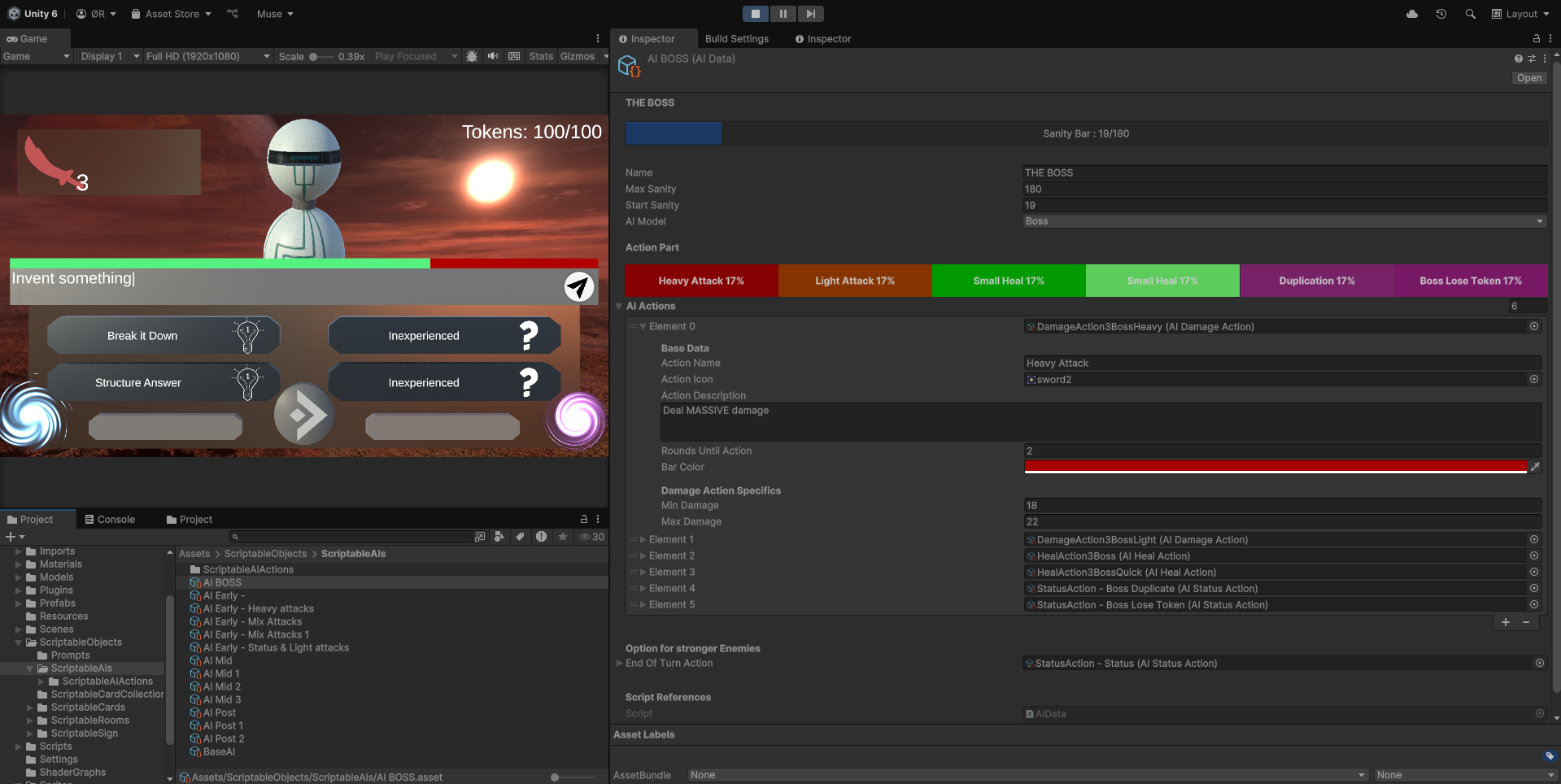
Scripted Unity Inspector for multiple Scriptable Objects, giving them clear visuals to streamline the production of the Scriptable Objects
Scripted Unity Inspector for multiple Scriptable Objects, giving them clear visuals to streamline the production of the Scriptable Objects
This project uses a lot of Scriptable Objects that needs to be different, so I wanted to simplify and streamline the creation process. So for each Scriptable Object I created a custom Inspector in the Unity Editor. The different Scriptable Object received either visualization of the variable, from showing the chances of an attack attached to hit or displaying health. I also created errors and warnings for variables in the inspector, to display errors for variable who must have a value or just a warning for important variables that don't necessarily need to be filled like name. I also hid variables that wouldn't be needed by that object, as we had an object that could perform different actions. So first a selection of what actions the object will use and then only displaying the variable that needed to be changed.
The custom editor were made for a game called Rogue AI, a learning game supposed to teach the player about creating good prompts for AI LLM. This project was funded by Excited a student company in Levanger. The game is a Rogue-like Deck Builder were the cards posses good prompting habits, while enemies encountered are rogue AIs that the player must subdue by giving it good prompts. Player will play multiple cards to build their prompts and a prompt will update live in front of them while playing. This will teach the players what habits contributes to good prompts as well how to implement them.
Important scripts created for this project, links will bring you to GitHub:
The following member helped out developing the game Rogue AI that the editor was made for: